Use the Help menu
Go to the Help menu to access information that will make using Aspen easier and more efficient. When you have a question about how to do something in the system, come to this menu first:
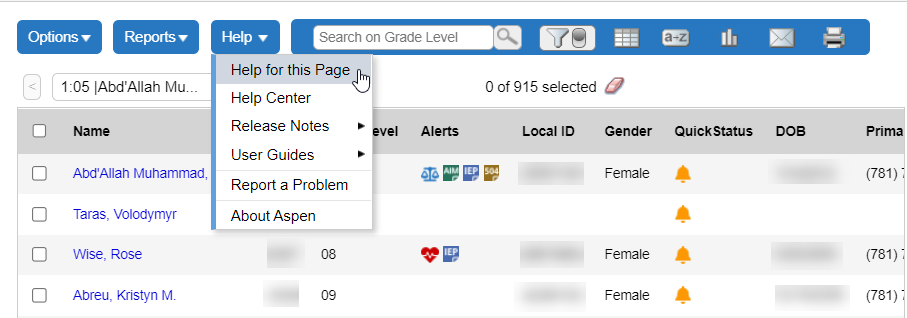
The Help menu contains the following options:
- Help for this Page: Click to open a relevant page in the Aspen Help Center. A robust search feature in the upper-right corner makes it easy to find any additional information you need.
- Help Center: Click to open the Aspen Help Center's main page. From here, you can perform a search for specific information; use the buttons to access a table of contents (All Topics), release notes, videos, and more; or browse lists of common tasks by user role.
- Release Notes: Click to view a list of major changes and new features that have been added to the system in recent releases.
- User
Guides: Click to open a PDF version of the Aspen user
guides
- Report
a Problem: If your
- About Aspen: Click to view which version of the system you are currently using.